
A touchscreen is an electronic visual display that can detect the presence and location of a touch within the display area. The term generally refers to touching the display of the device with a finger or hand. Touchscreens can also sense other passive objects, such as a stylus. Touchscreen is common in devices such as all-in-one computers, tablet computers, and smartphones.
The touchscreen has two main attributes. First, it enables one to interact directly with what is displayed, rather than indirectly with a cursor controlled by a mouse or touchpad. Secondly, it lets one do so without requiring any intermediate device that would need to be held in the hand. Such displays can be attached to computers, or to networks as terminals. They also play a prominent role in the design of digital appliances such as the personal digital assistant (PDA), satellite navigation devices, mobile phones, and video games.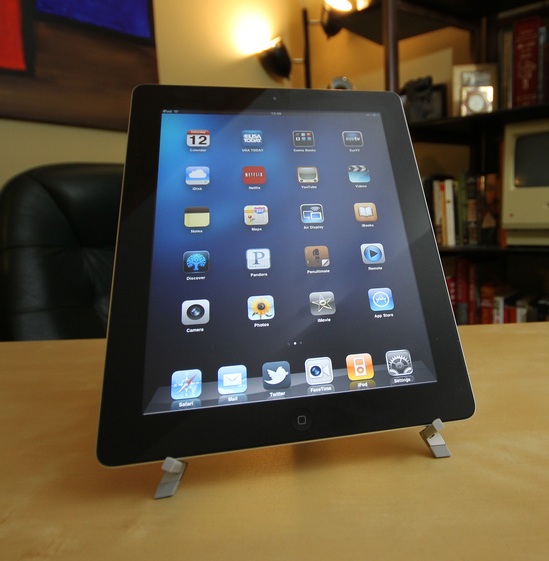
The first touch screen was a capacitive touch screen developed by E.A. Johnson at the Royal Radar Establishment, Malvern, UK. The inventor briefly described his work in a short article published in 1965 and then more fully – along with photographs and diagrams – in an article published in 1967. A description of the applicability of the touch technology for air traffic control was described in an article published in 1968.
Technologies
Resistive
A resistive touchscreen panel is composed of several layers, the most important of which are two thin, electrically conductive layers separated by a narrow gap. When an object, such as a finger, presses down on a point on the panel’s outer surface the two metallic layers become connected at that point: the panel then behaves as a pair of voltage dividers with connected outputs. This causes a change in the electrical current, which is registered as a touch event and sent to the controller for processing.
Surface acoustic wave
Surface acoustic wave (SAW) technology uses ultrasonic waves that pass over the touchscreen panel. When the panel is touched, a portion of the wave is absorbed. This change in the ultrasonic waves registers the position of the touch event and sends this information to the controller for processing. Surface wave touchscreen panels can be damaged by outside elements. Contaminants on the surface can also interfere with the functionality of the touchscreen.
Infrared
An infrared touchscreen uses an array of X-Y infrared LED and photodetector pairs around the edges of the screen to detect a disruption in the pattern of LED beams. These LED beams cross each other in vertical and horizontal patterns. This helps the sensors pick up the exact location of the touch. A major benefit of such a system is that it can detect essentially any input including a finger, gloved finger, stylus or pen. It is generally used in outdoor applications and point of sale systems which can’t rely on a conductor (such as a bare finger) to activate the touchscreen. Unlike capacitive touchscreens, infrared touchscreens do not require any patterning on the glass which increases durability and optical clarity of the overall system.
Acoustic pulse recognition
This system, introduced by Tyco International’s Elo division in 2006, uses piezoelectric transducers located at various positions around the screen to turn the mechanical energy of a touch (vibration) into an electronic signal. The screen hardware then uses an algorithm to determine the location of the touch based on the transducer signals. The touchscreen itself is made of ordinary glass, giving it good durability and optical clarity. It is usually able to function with scratches and dust on the screen with good accuracy. The technology is also well suited to displays that are physically larger. As with the Dispersive Signal Technology system, after the initial touch, a motionless finger cannot be detected. However, for the same reason, the touch recognition is not disrupted by any resting objects.
Construction
There are several principal ways to build a touchscreen. The key goals are to recognize one or more fingers touching a display, to interpret the command that this represents, and to communicate the command to the appropriate application.
In the most popular techniques, the capacitive or resistive approach, there are typically four layers;
- Top polyester coated with a transparent metallic conductive coating on the bottom
- Adhesive spacer
- Glass layer coated with a transparent metallic conductive coating on the top
- Adhesive layer on the backside of the glass for mounting.
When a user touches the surface, the system records the change in the electrical current that flows through the display.
http://computer.howstuffworks.com/question716.htm
http://electronics.howstuffworks.com/iphone1.htm
http://www.scholarshipsinindia.com/answer/touch_screens.html


Leave a Reply
You must be logged in to post a comment.